How to Use

Open the widget, enter a USPS, UPS, FedEx, or DHL tracking number, view live package results, and manage the widget in a few quick steps.

Steps

1

Open the Package Tracker Widget

Look for the Easy Package Tracker button on the page. Click it to open the widget panel.

2

Enter a Tracking Number

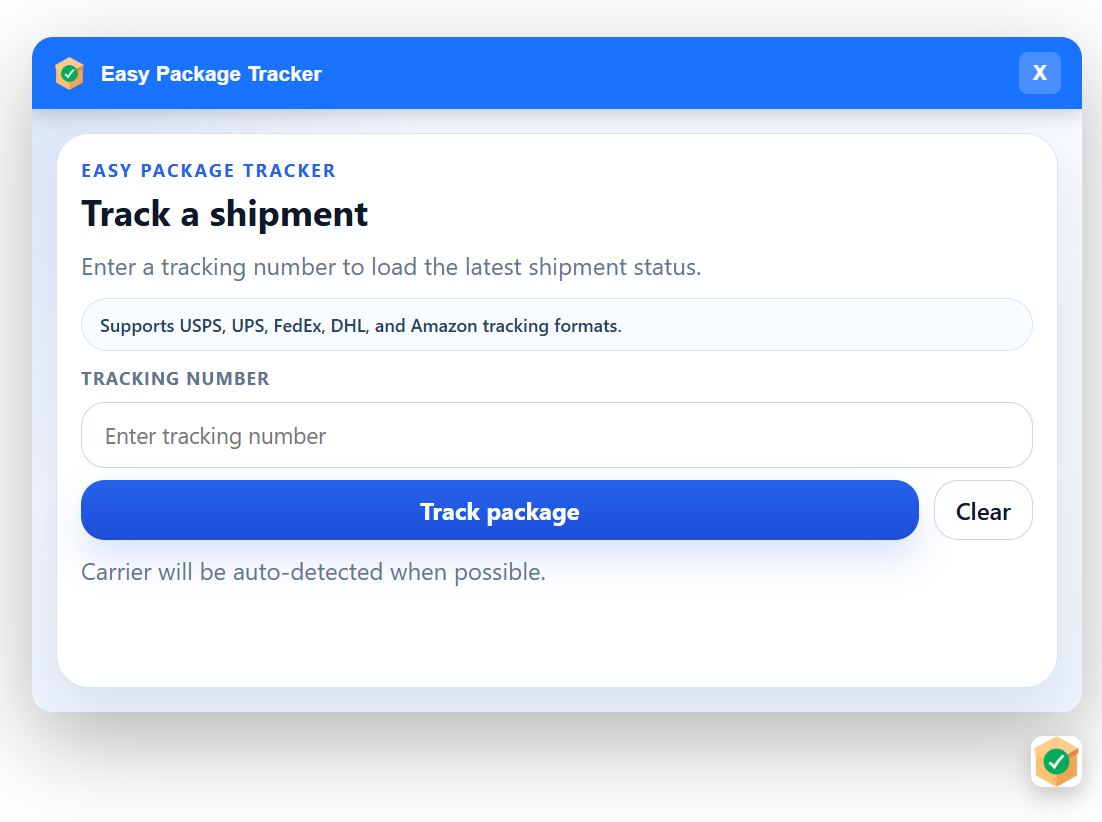
Type in a valid USPS, UPS, FedEx, or DHL tracking number, then click Track package to start the lookup.

Easy Package Tracker widget showing the tracking number form
3

Carrier Detection Happens Automatically

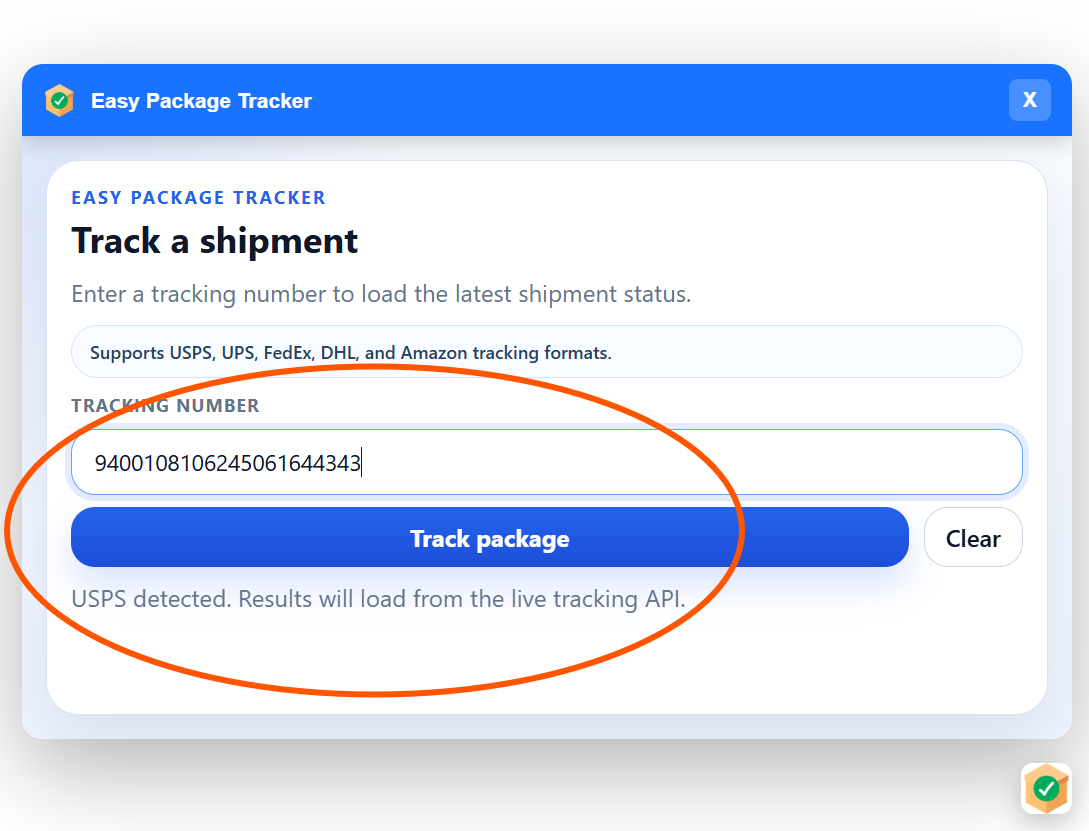
The widget can identify the carrier from the tracking number format. In this example, it detected USPS automatically.

Easy Package Tracker widget showing USPS carrier detection
4

View Live Package Results

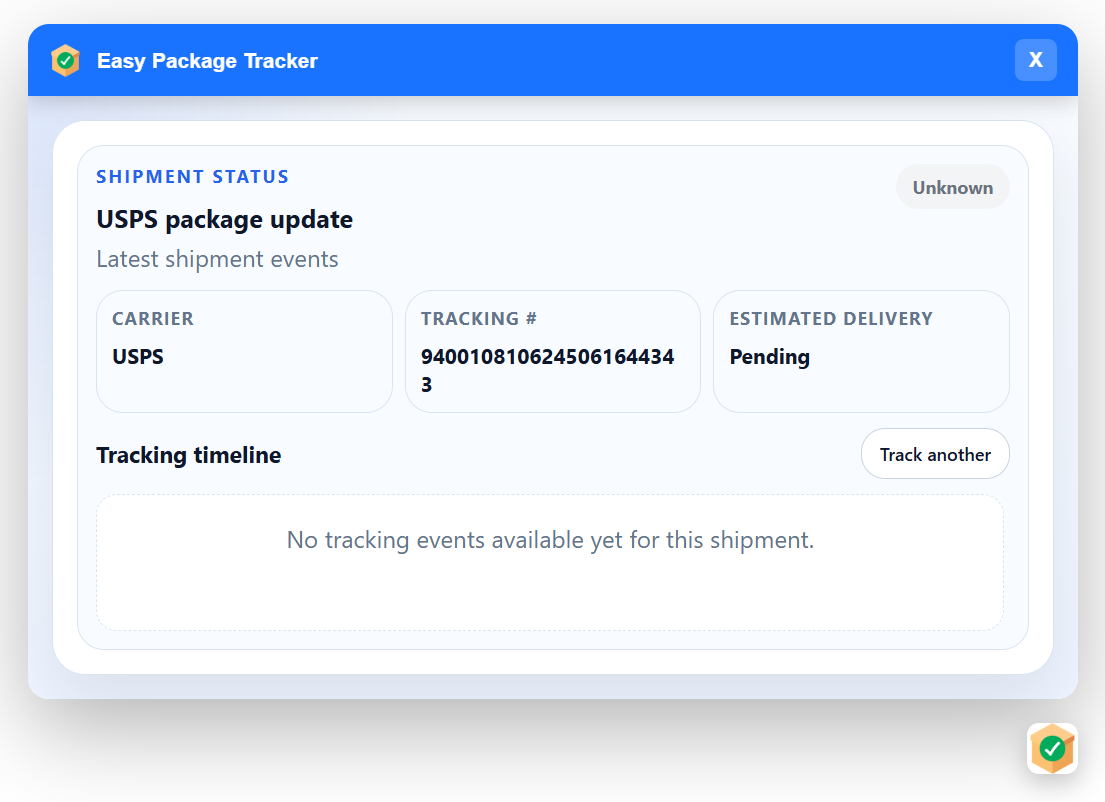
After you click Track package, the widget loads the latest shipment status, delivery estimate, and live tracking updates from the carrier.

Easy Package Tracker widget showing live package tracking results
5

Manage the Widget

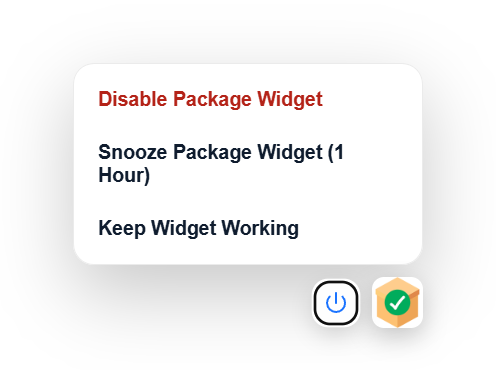
Use the widget menu to keep it running, snooze it for 1 hour, or disable it when you do not need it.

Easy Package Tracker widget menu with manage options